
Monthly subscription
To try it for longer, with no commitment.
€7.11 instead of €7.90€7.90per month
The first month, then €7.90 a month.No minimum term.
- Renew if you want to
- All updates while you subscribe
Quotes, invoices, credit notes, expenses and contributions for freelancers, sole traders and small companies. Everything stays on your computer. Full 14-day trial, no card required.
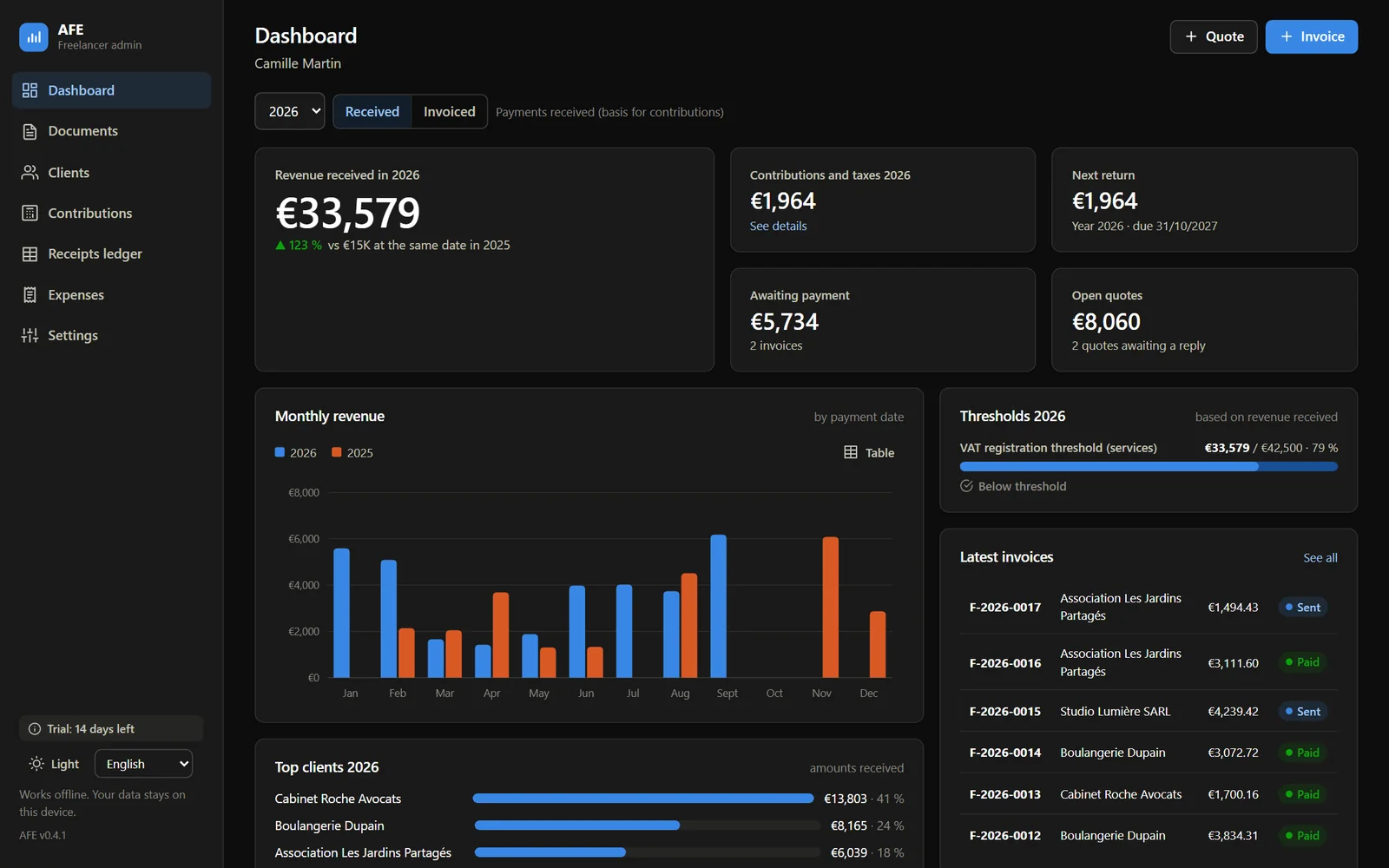
Six screens to take the tour. These are screenshots of the current version, with the sample data that comes with it.
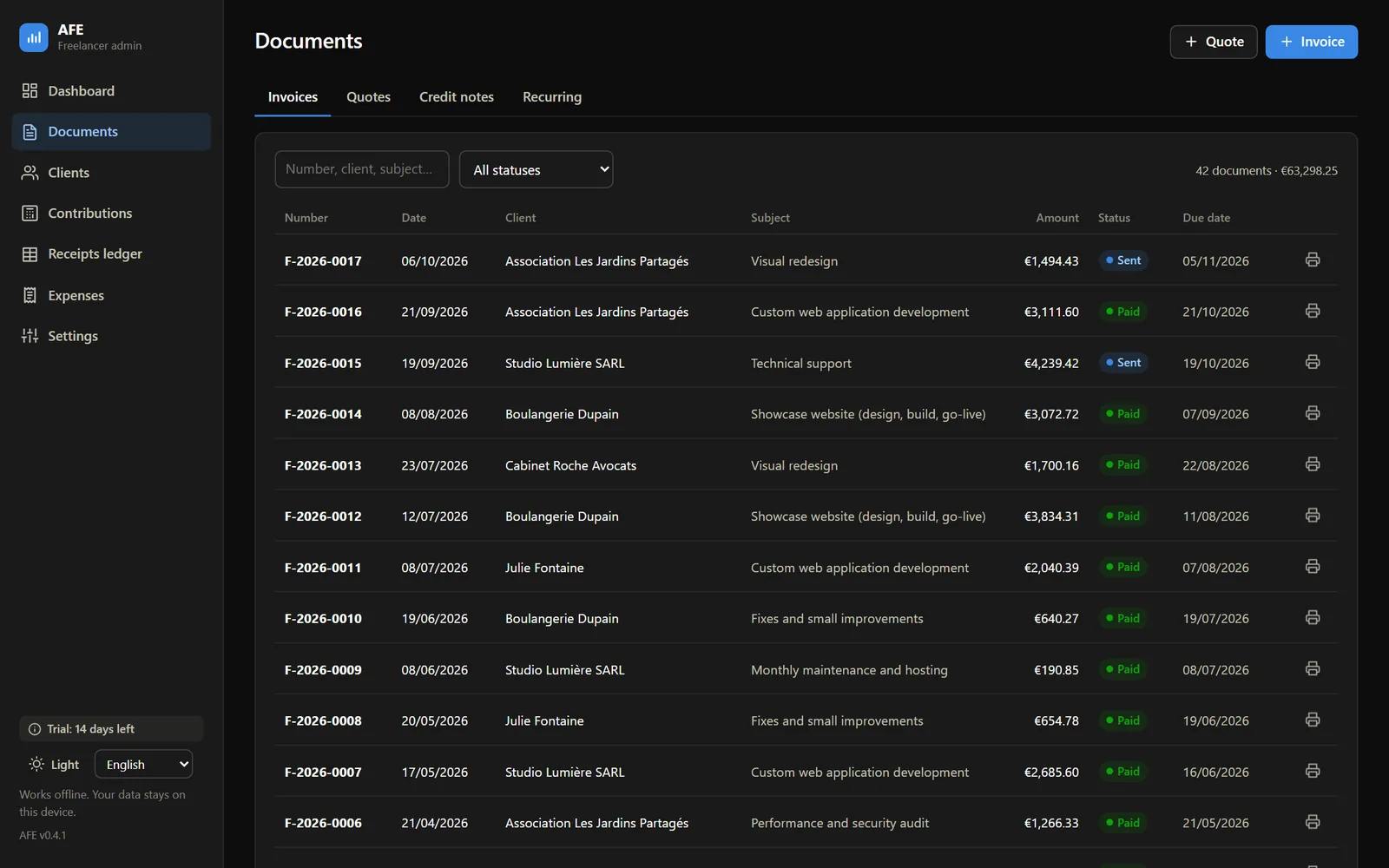
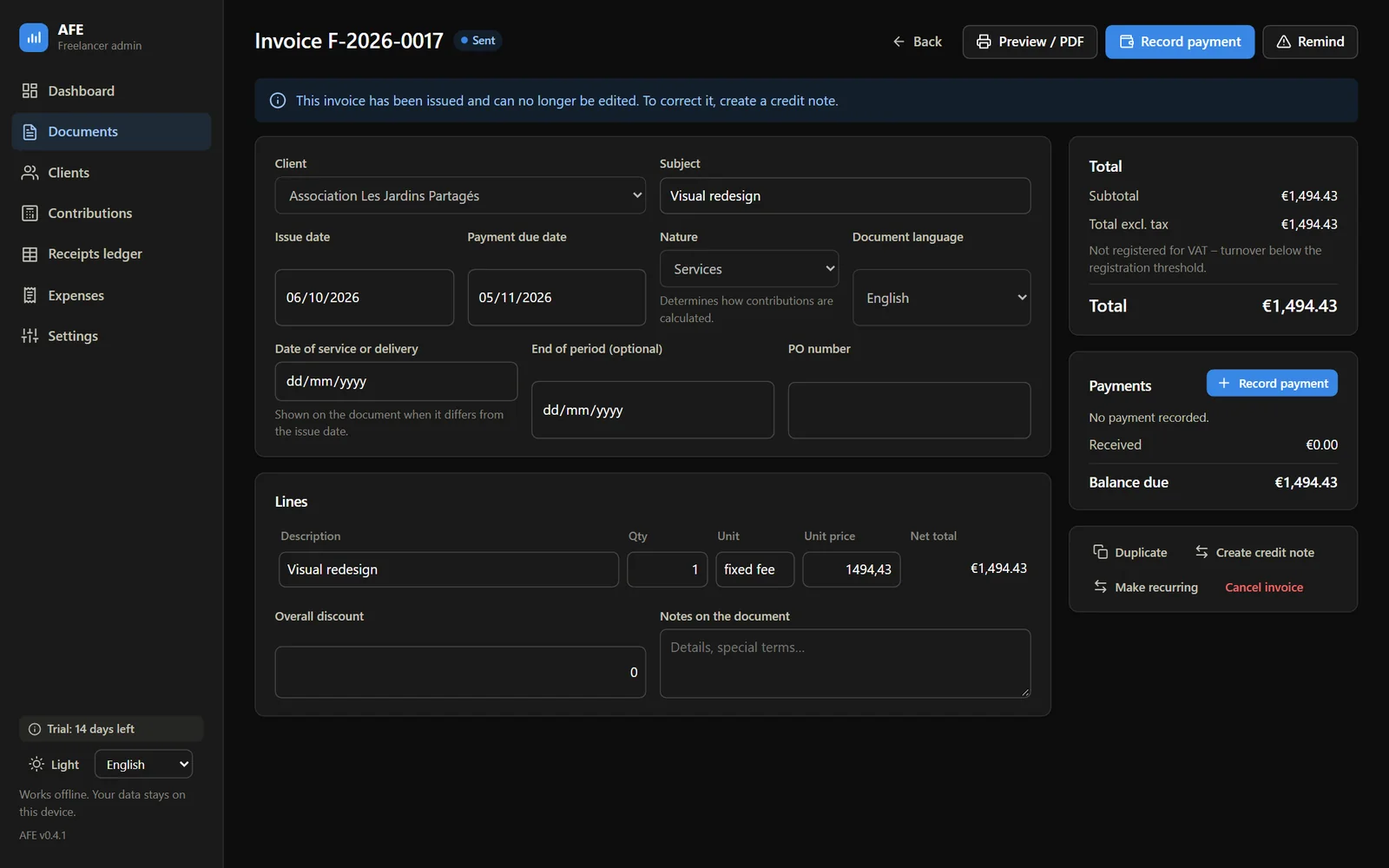
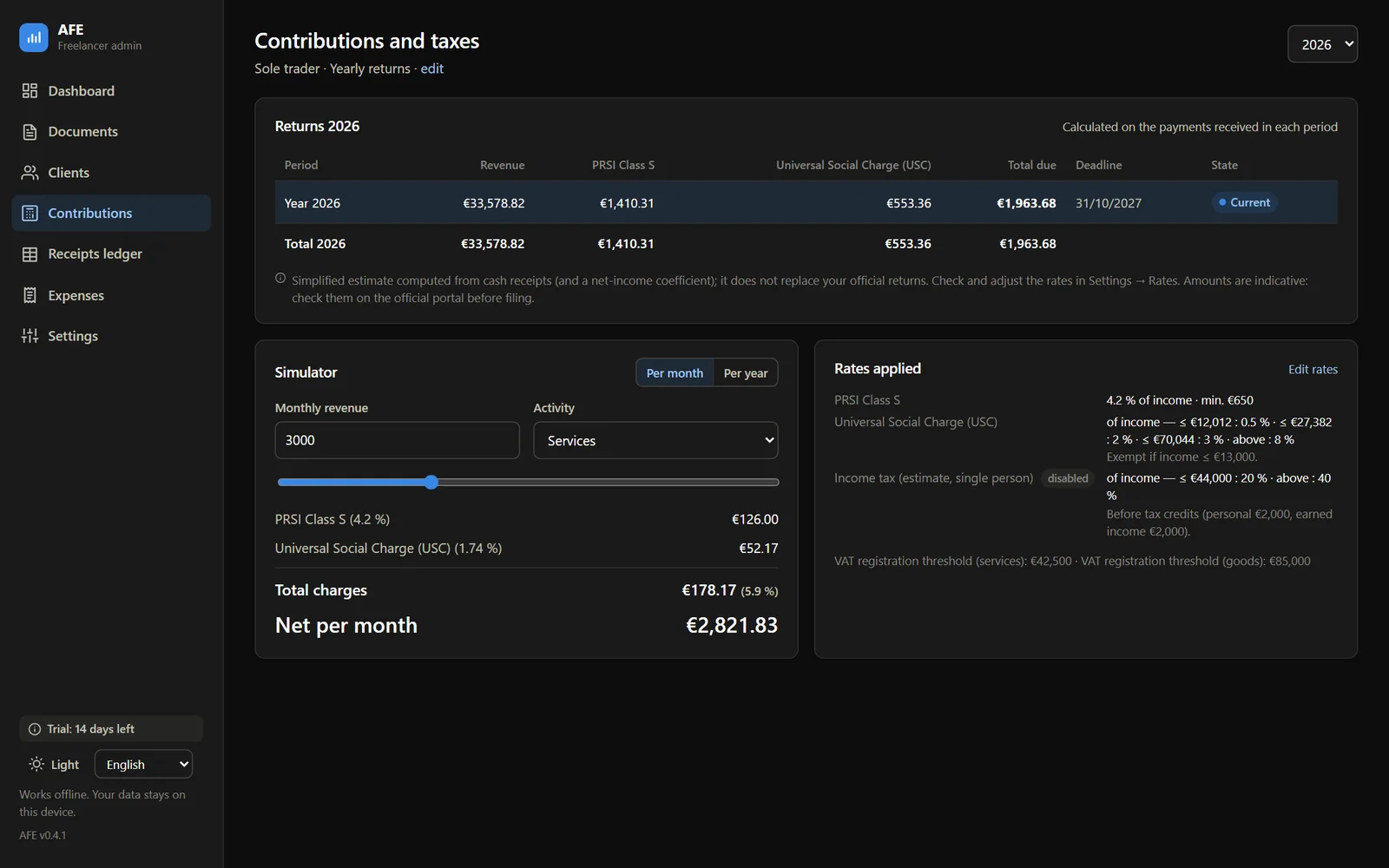
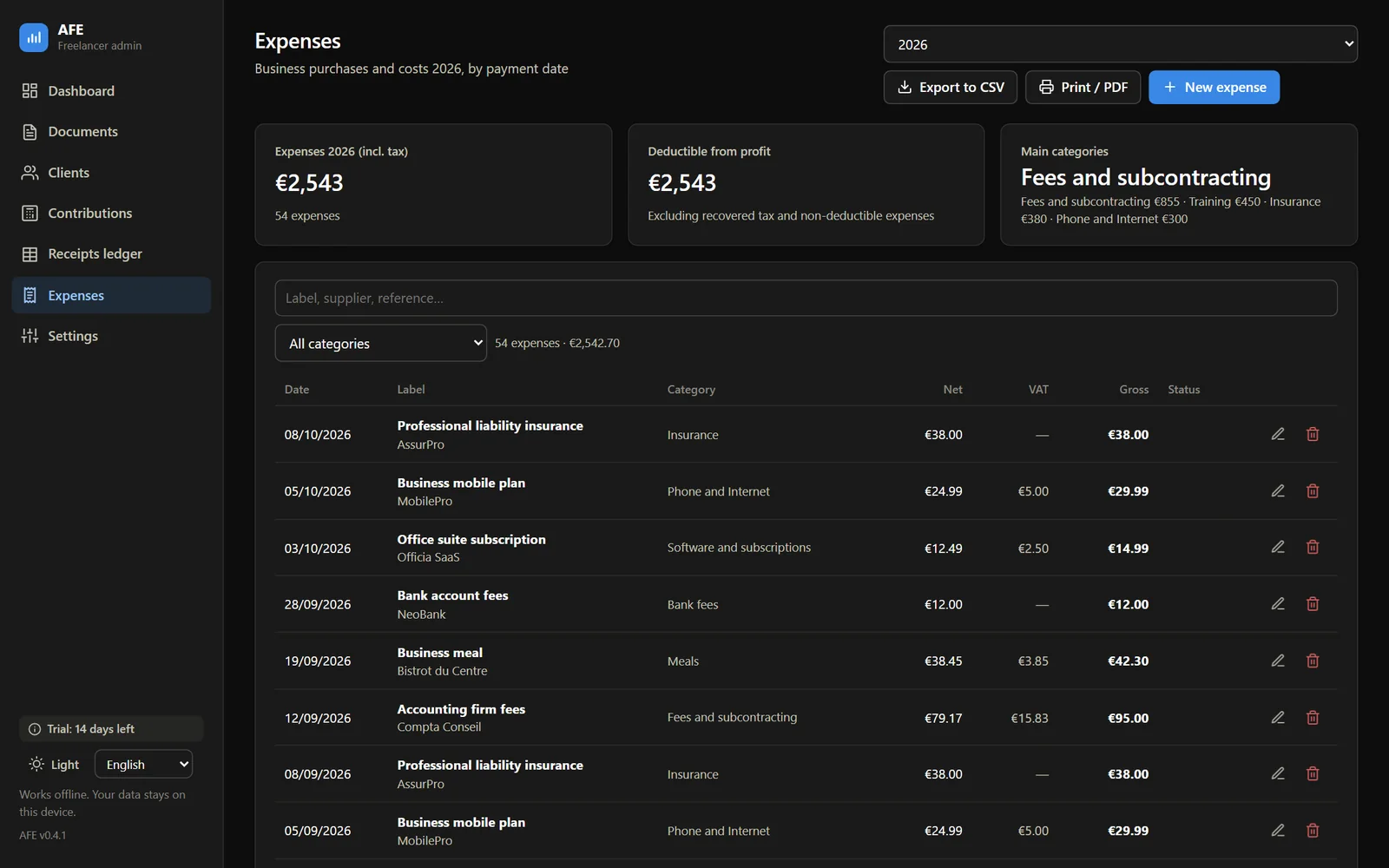
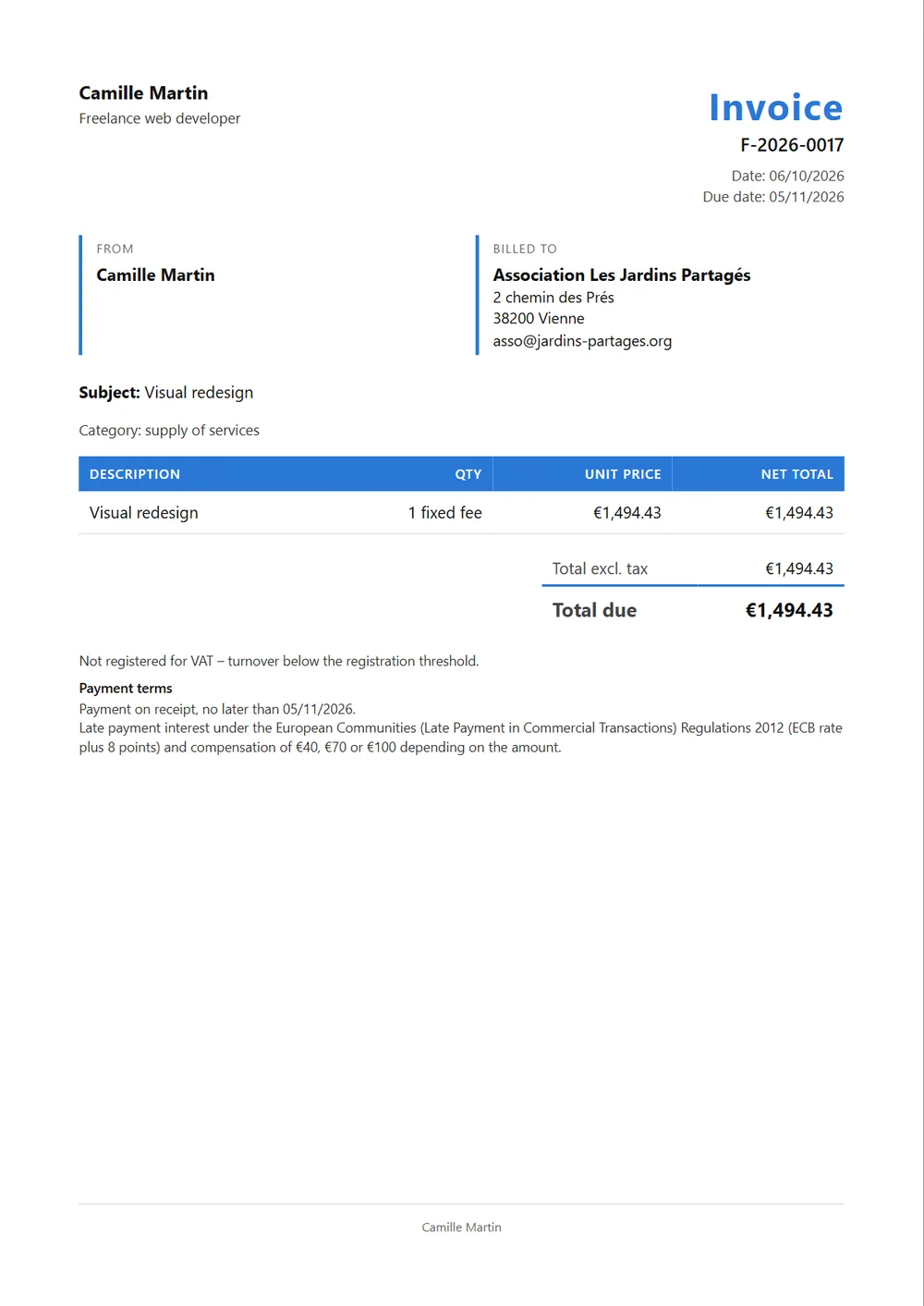
Click a screenshot to enlarge it.
The chronological record of the payments you receive, kept for you, with CSV export and printing.
Recurring invoices are generated automatically, and a catalogue keeps your usual services.
No sign-up and no server: everything is stored on your computer. Backup in a single file, and automatic backup every ten minutes.
On launch, the app checks whether a new version exists and offers to install it.
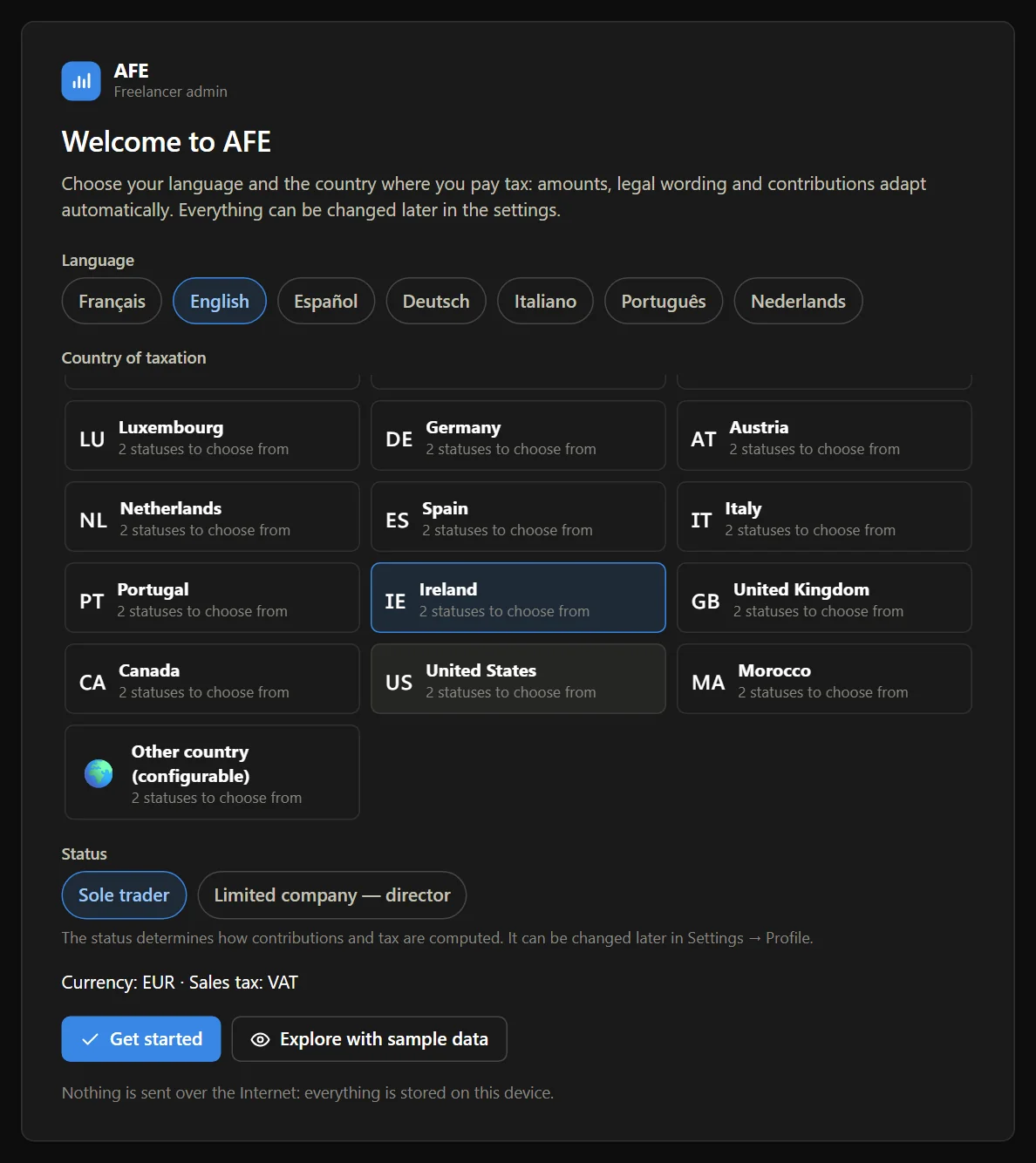
On first launch, you choose your language, the country where you pay tax and your status. Currency, sales tax, the identifiers to show, legal wording and the contribution calculation all adapt.
For France, the 2024 to 2026 rates are those published by URSSAF. For the other countries they are documented estimates, to be checked: each rate table can be edited year by year in the app.
A 14-day trial with every feature and no sign-up. Then three options: by the month, by the year, or once and for all.
Launch offer. Up to 25% off until 31 December 2026 at midnight (Paris time), or until the 50th licence sold.
To try it for longer, with no commitment.
The first month, then €7.90 a month.No minimum term.
For a year of invoicing, in a single payment.
The first year, then €59 a year.That is less than €5 a month.
To use it for a long time: at the regular price, it costs ten months of the monthly subscription.
One payment. €79 after the launch offer.One payment, no end date.
Net prices in euros, VAT not applicable (art. 293 B of the French General Tax Code). The launch price applies to the first period of a subscription; renewals are at the price then in force. All three options include every feature and give you a key in your name, verified offline and not tied to a computer. Details are in the terms of sale, governed by French law.
The Windows installer is about 2 MB and installs without administrator rights.
Everything is unlocked. The sample data lets you take the tour in two minutes.
Send your request with the option you chose: I reply by email with the confirmation and payment details.
Paste it in Settings, on the Licence tab. It is verified offline.
Tell me which option you want and the name to put on the licence. Nothing is charged here: you first receive a confirmation by email.
The download opens on GitHub: take the file ending in “x64-setup.exe”.
The questions you ask before trusting a piece of software with your invoicing.
The contribution and tax amounts shown by AFE are estimates. They do not replace the official return you file with the relevant authority in your country.
No. AFE has no account and no server: quotes, invoices, clients and settings are stored on your device. You can export a full backup as a single file and restore it elsewhere. On launch, the app only checks whether an update is available.
Windows, with an installer that needs no administrator rights. Once installed, the app works without a connection.
Yes, for now. The installer is not yet signed with a publisher certificate, so Windows may show “Windows protected your PC”. Click “More info”, then “Run anyway”.
Your documents stay readable, printable and exportable, and you can still prepare drafts. Only finalising new quotes and invoices requires a valid licence.
You send your request with the form, I reply by email with the order confirmation and payment details, then I send your key within two working days of payment. No bank details are asked for on this site.
Yes. You have 14 days after purchase to change your mind, with a simple email and no reason to give. The details are in the terms of sale.
No. The key is verified offline and is not tied to any machine. It shows your name and email in the app and is included in your backups: you get it back when you change computers.
It has no end date and covers every release of the major version you buy. A future major version may be sold separately: the one you bought stays usable with no time limit.
No, they are estimates computed from the configured rates. For France, the 2024 to 2026 rates are those published by URSSAF. For the other countries they are documented estimates, to be checked, which you can edit in the rates editor. They do not replace your official return.
The one you choose for that document. The interface language and the document language are independent: a German client can receive their invoice in German.
Install it, load the sample data, and see if it suits you. Fourteen days, every feature.
AFE is published by MaiTox. Windows only for now.
Leave your email: I will let you know when a new version of AFE is released, and what changes. Nothing else.